
What is Digital Eye Strain? Symptoms, Causes & Prevention
Posted on December 5, 2025
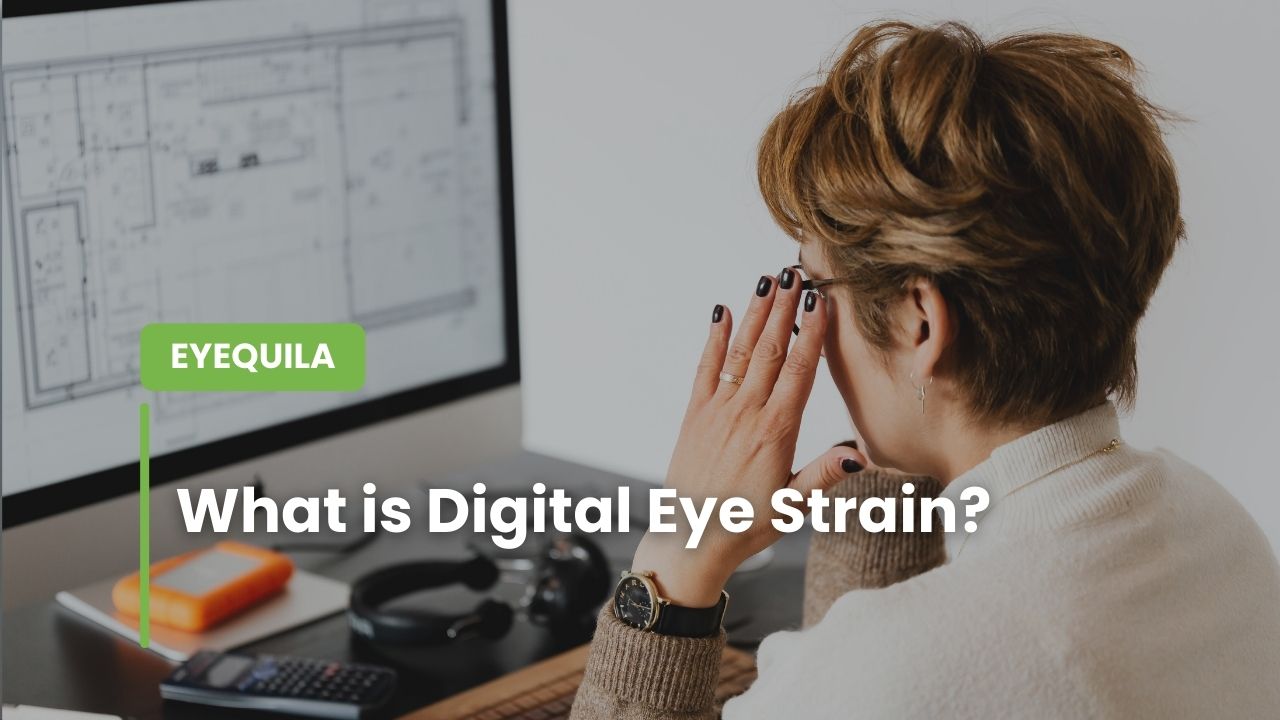
What is Digital Eye Strain?
If you've ever felt your eyes burning, tired, or uncomfortable after staring at a screen for hours, you're not alone. Digital eye strain, also known as Computer Vision Syndrome (CVS), affects millions of people worldwide who spend extended periods looking at digital devices.
Understanding Digital Eye Strain
Digital eye strain is a group of eye and vision-related problems that result from prolonged use of computers, tablets, smartphones, and other digital screens. It's not a single condition but rather a collection of symptoms that occur together due to the unique demands that digital screens place on our visual system.
Unlike reading a printed page, viewing a digital screen requires your eyes to work harder. The pixels on screens are brightest at the center and dimmer toward the edges, making it more difficult for your eyes to maintain focus. Your eyes constantly shift focus between the screen, keyboard, and reference materials, causing strain over time.
Common Symptoms
Digital eye strain can manifest in various ways. You might experience:
Eye-related symptoms:
- Tired, burning, or itching eyes
- Watery or dry eyes
- Blurred or double vision
- Difficulty focusing
- Increased sensitivity to light
Physical symptoms beyond the eyes:
- Headaches
- Neck and shoulder pain
- Back pain from poor posture
These symptoms typically worsen as the day progresses, especially if you're working in poor lighting conditions or maintaining an awkward posture while viewing your screen.
What Causes Digital Eye Strain?
Several factors contribute to digital eye strain:
Screen characteristics: The contrast, glare, and flickering of digital screens force your eyes to work harder than when reading printed materials. Poor screen resolution can also make text harder to read, increasing eye fatigue.
Reduced blinking: When focused on screens, people blink about 66% less frequently than normal. Blinking is essential for keeping eyes moist and comfortable. Reduced blinking leads to dry, irritated eyes.
Poor viewing angles and distances: Many people position their screens at incorrect distances or angles, forcing their eyes and neck into uncomfortable positions. The ideal screen position is slightly below eye level and about an arm's length away.
Pre-existing vision problems: Uncorrected vision problems like farsightedness, astigmatism, or inadequate eye coordination can worsen digital eye strain. Even minor vision issues become more problematic during prolonged screen use.
Environmental factors: Poor lighting, glare from windows or overhead lights, and dry air from heating or air conditioning systems can all exacerbate symptoms.
Who is at Risk?
While anyone who uses digital devices can experience digital eye strain, certain groups are more susceptible:
- Office workers who spend 6-8 hours daily in front of computers
- Students engaged in online learning
- People who use multiple devices simultaneously
- People with uncorrected vision problems
Studies suggest that approximately 50-90% of people who work at computers experience some symptoms of digital eye strain. As our reliance on digital devices continues to grow, this number is likely to increase.
The Impact on Daily Life
Digital eye strain isn't just uncomfortable—it can significantly affect your quality of life and productivity. People experiencing severe symptoms may find it difficult to concentrate, make more errors at work, and feel exhausted by the end of the day. Some may even avoid important tasks that require screen time.
The condition can also impact sleep quality, especially when symptoms are combined with evening screen exposure. The discomfort and blue light exposure can disrupt your circadian rhythm, making it harder to fall asleep and reducing sleep quality.
Prevention and Management
The good news is that digital eye strain is preventable and manageable with the right strategies:
Follow the 20-20-20 rule: Every 20 minutes, look at something 20 feet away for at least 20 seconds. This simple practice helps your eyes relax and refocus.
Optimize your workspace: Position your screen about an arm's length away and slightly below eye level. Ensure your workspace has proper lighting that minimizes glare on your screen.
Remember to blink: Make a conscious effort to blink more frequently, especially during intense work periods. Consider using artificial tears if your eyes feel dry.
Take regular breaks: Step away from your screen periodically. Use these breaks to stretch, move around, and give your eyes a complete rest from screen viewing.
Get regular eye exams: Annual eye examinations can detect vision problems early and ensure your prescription is current if you wear corrective lenses.
Use appropriate eyewear: Consider computer glasses with anti-reflective coating or blue light filtering. These specialized lenses are designed to optimize vision for screen viewing distances.
How Eyequila Can Help
Eyequila is an AI-powered digital eye wellness platform specifically designed to prevent and manage digital eye strain. Unlike generic eye care apps, Eyequila uses advanced artificial intelligence to provide personalized, real-time protection for your eyes while you work or use digital devices.
Eyeqcheck: Your AI Eye Health Assessment Chatbot
EyeQcheck is Eyequila's intelligent AI chatbot that provides preliminary eye health assessments through natural conversation. Instead of filling out boring forms or questionnaires, you simply chat with the AI about your eye symptoms, screen habits, and daily routines.
What Eyeqcheck does:
- Conversational assessment: Chat naturally with an AI that understands your eye health concerns and asks relevant follow-up questions to understand your situation better.
- Symptom analysis: The AI analyzes your reported symptoms—whether it's eye strain, headaches, dry eyes, or blurred vision—and identifies potential causes related to digital screen usage.
- Personalized dashboard: After your conversation, receive a comprehensive dashboard showing your eye health assessment results, including risk factors and areas of concern.
- Tailored recommendations: Get specific, actionable advice based on your unique situation—from workspace adjustments to break schedules that fit your work routine.
- Track your progress: Return to your dashboard anytime to see your eye health journey and how your habits are improving over time.
Think of EyeQcheck as having a friendly eye health consultant available 24/7, ready to assess your situation and provide personalized guidance without the need for an immediate doctor's appointment.
EyeQuest: Gamified Eye Exercises
Prevention is more effective than treatment, and Eyequila makes prevention engaging through EyeQuest—a gamified eye exercise system that turns eye care into an enjoyable daily habit.
Why EyeQuest works:
- Interactive eye exercises: Instead of boring repetitive exercises, EyeQuest presents fun, game-like challenges that naturally exercise your eye muscles and encourage healthy eye movements.
- Adaptive difficulty: The AI adjusts exercise difficulty based on your performance and progress, ensuring you're always challenged but never overwhelmed.
- Break integration: Exercises are strategically timed during your natural work breaks, making them easy to incorporate into your routine without disrupting productivity.
- Progress tracking: Visual feedback on your consistency and improvement motivates you to maintain healthy habits over time.
- Variety of exercises: Different types of exercises target various aspects of eye health—from focusing exercises to relaxation techniques and coordination training.
Research shows that regular eye exercises can significantly reduce digital eye strain symptoms. EyeQuest makes it easy to stay consistent with these exercises by making them enjoyable rather than a chore.
Whether you're a software developer staring at code all day, a student attending online classes, a designer working on detailed graphics, or anyone who spends significant time on screens, Eyequila provides the intelligent, personalized support your eyes need in the digital age.